
Storyboarding a Real-Estate 3D Animation Film
A working method for developers, architects and agencies: choosing scenes for a 3D animation film, organising sign-off, and briefing the studio.
By VIZION STUDIO
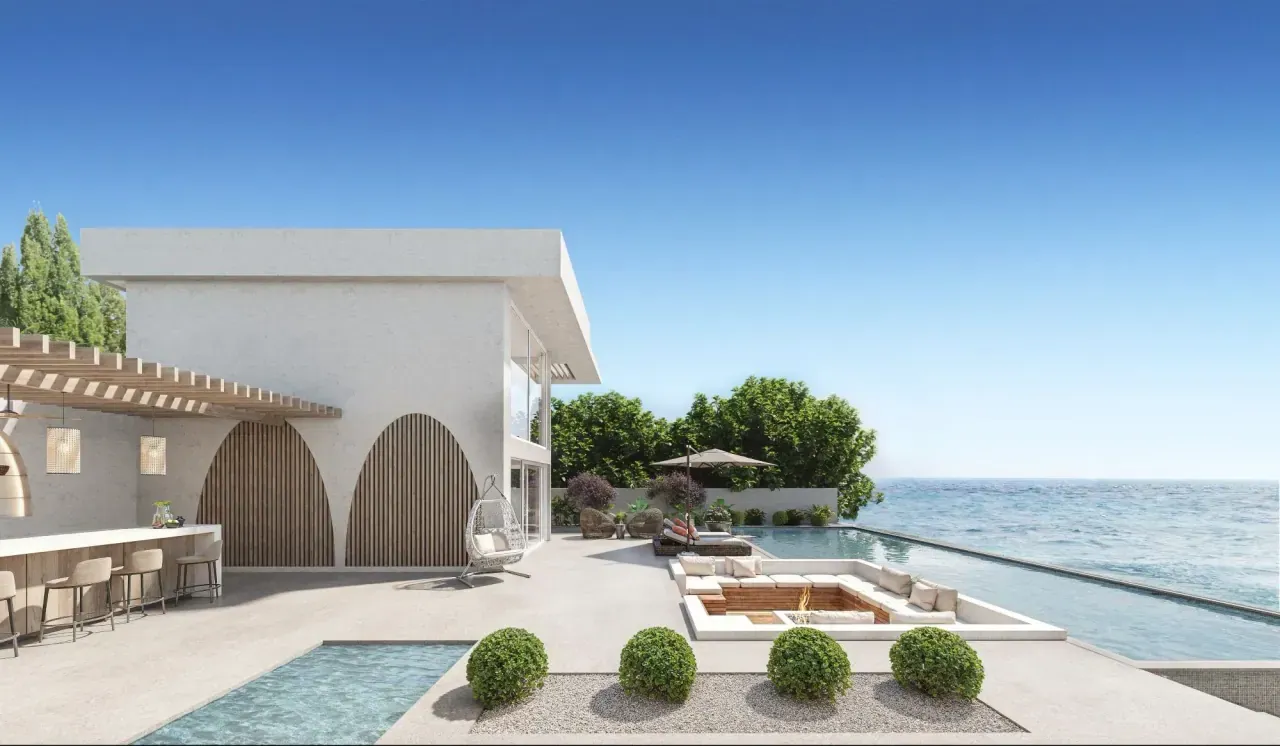
To prepare the storyboard for a real-estate 3D animation film, start from the buyer's questions, then match each answer to a scene, a framing choice and a transition. Also define the on-screen text, the sound, the formats it will be shown in, and the action you want the viewer to take afterwards. This preparation lets you discuss a concrete film with the studio, before any final images are produced.
A storyboard is the visual breakdown of the film: it shows what will appear on screen, and in what order. It does not replace the scheme's drawings or the quote. Its job is to align the developer, the architect, the agency and the studio on the same presentation.
This guide sets out a working method and a fictional example to adapt. The aim is not to promise sales from a video, but to build a piece that explains your scheme and leads to one identifiable next commercial step.
Decide What the Film Should Help Someone Decide
Before choosing a soundtrack or a camera move, decide what the film is actually for. On a scheme's landing page, it may help a visitor understand the layout of the development and prompt them to request the full presentation. In a sales appointment, it can help explain the approach from the street, or the relationship between the buildings and the garden. For an agency, it may sit as the central asset on a scheme page, with other formats built around it separately.
Identify an Audience and a Main Question
A prospect discovering the scheme for the first time does not have the same reference points as an architect who already knows the drawings. Choose the priority audience, and note what information they already have before watching.
Then gather a few real questions from the sales team: how do you reach the entrance? Which outdoor spaces are shown? How do you move from the living room to the terrace? Rank these questions by importance, and keep the ones the film can genuinely answer.
A film should not carry the entire sales case on its own. Availability, detailed documents and one-to-one conversations can cover information or help prepare a meeting. On a web page, place a real, clickable link or button next to the video. A button drawn inside the film is not, on its own, a clickable element of the page.
Moving from Script to Storyboard Without Mixing Up the Steps
A script describes how the story unfolds. A storyboard translates that progression into key images. A rough edited preview, sometimes called an animatic, then lets you discuss pacing and sequencing before the final render.
Adobe describes a storyboard as a series of drawings that translates a script visually. The drawings can stay simple: their value is in sharing framing and intent with the production team. For your brief, precision of message matters more than the polish of the preparatory document.
Describe Each Scene Under the Same Headings
For each scene, define:
- The intention: what the viewer should understand.
- The key image: the framing that must stay visible.
- Any on-screen text and sound elements.
- The transition to the next scene.
- The decision expected from your team.
Number the scenes. A comment such as “scene 04: keep the garden access visible until the cut” is more usable than “make the walk clearer”.
Separate the Intent from the Visual Solution
You can define the need without dictating every camera move. Write “show the continuity between the living room and the terrace”, then let the studio propose a framing or a transition. The conversation is then about whether that understanding comes across, not about reproducing an effect seen in an unrelated video.
Building a Progression From Context to Everyday Use
One possible progression is to place the scheme in context, show the arrival, present a distinctive space, then close on the next step. This is not a fixed recipe: a film built around a single home might follow a different order.
A context shot situates the scheme within its setting, its topography or its relationship to the landscape. It does not, on its own, prove the view from a specific floor. Define its role in the storyboard clearly, and identify which viewpoints will need to match a real position within the scheme.
Keep a Recognisable Landmark
Between the wide establishing shot and a ground-level walk-through, keep a landmark: an entrance, a building or a path the viewer can recognise. A short transition may be enough to establish the relationship. If two spaces belong to different buildings, do not create a continuity that suggests they follow directly on from one another.
An orbital 3D model can complement the film once a prospect wants to explore the layout themselves rather than follow a fixed sequence.
A Fictional Example Storyboard
The scenes below assume the spaces described exist in your scheme and that the related drawings are available. Remove or replace any scene that does not match your own project.
Scene 01: Understand Where the Scheme Is Located
Intention: place the buildings within their immediate surroundings. Key image: a wide shot that lets the viewer identify the area. To confirm: how the context is represented, camera height and how the scheme is labelled. Avoid stacking up so many geographic landmarks that the viewer has no time to read them.
Scene 02: Identify the Pedestrian Arrival
Intention: understand how to reach the entrance. Key image: the approach along the chosen path. To confirm: access points, boundaries, planting and the route into the entrance hall. The movement should follow the actual chosen route, without crossing an obstacle that exists on the plans.
Scene 03: Discover an Outdoor Space
Intention: explain how a garden or a terrace is organised. Key image: a framing that links the space to the façade or to the access serving it. To confirm: the status of the space, the landscaping shown, and the planting. Do not present a private space as a shared amenity.
Scene 04: Connect the Living Room to Its Outdoor Extension
Intention: show the relationship between the rooms and the outside. Key image: a position that makes the opening and the circulation legible. To confirm: the unit type shown, the joinery, the furniture, and anything visible beyond the home. This scene should not suggest that every unit shares the same layout.
Scene 05: Propose a Next Step
Intention: let an interested viewer carry on. Key image: a clear closing shot with the scheme's name and a consistent call to action. To confirm: contact details, the landing page, and the exact wording. Judge how long to hold the shot by actually reading the message at its final display size.
For every scene, add a document reference and a named approver. That gives you a working document the studio can refine, simplify or reorganise.
Choosing Between a Linear Film and Interactive Exploration
A film plays a sequence decided in advance. A virtual tour lets the user choose their own viewpoints, which is useful when a buyer wants to come back to a room or check a spatial relationship themselves.
Be careful not to leave a “tour video” request ambiguous. State clearly whether you expect an edited video file or a module the visitor controls. Also confirm offline use, integration into the website, and how it will be updated later — these should not stay implicit in the word “tour”.
Preparing Formats, Text and Sound From the Storyboard Stage
A scene designed for a horizontal screen can lose important information in a vertical crop. Decide early which formats and exports you will need — a alternate version may call for a different framing, a different edit, or shorter text.
Review the Film With the Sound Off
Watch the preview with the audio muted. Can you still identify the scheme, follow the key scenes, and find the next step? If an essential piece of information exists only in a voice-over, plan a text equivalent for it.
The W3C's guidance on audio and video accessibility recommends addressing this at the preparation stage, distinguishing captions, transcripts and descriptions of visual information depending on the content. Agree the right deliverables with whoever is producing and embedding the video — background music alone does not make visual information accessible.
Test the Text in Context
Re-read the on-screen text on a phone, at the size it will actually be shown. Leave enough time on screen for it to be read comfortably, and check that any claim shown cannot be freely reused elsewhere in a campaign without the same context.
Approving Scenes Before the Final Images
Organise feedback in stages: a first review covers the message and the order of scenes; a second covers camera work and continuity; finishing touches then cover materials, light and the final edit. The exact stages are for you to agree with the studio.
At each review, separate an error against the brief, a choice that is still open, and a genuinely new request. That distinction makes it easier to discuss the consequences of a change.
Use Localised Feedback
Name the scene, or point to the exact moment in the preview. Describe what the issue is and the reference you expect. “Scene 02: the gate should follow drawing revision C” allows for a precise check. “The entrance doesn't work” needs clarifying first.
Bring together comments from the architecture, marketing and sales teams before sending them on.
Keep Track of Reference Versions
Link the approved storyboard to the list of drawings used. When a document changes, identify which scenes are affected and confirm what rework is needed.
Preparing a Workable Quote Request
To brief a 3D animation film studio, send a short summary of the need, the documents available, and your storyboard even in draft form. State clearly which points you expect a creative proposal for.
Your request can cover:
- The scheme, the priority audience and the communication goal.
- The list of scenes wanted and the spaces actually shown.
- Reference plans, materials, landscaping and any choices still open.
- An existing script, or the help you need to write one.
- Distribution channels and the versions you will need.
- Text, music, voice-over and the different preparation work each implies.
Planning a launch or a presentation? Describe your project to Vizion Studio, attaching whatever references you have and the uses you expect. The first goal is to define the film that actually serves your scheme, not to accumulate sequences with no clear role.
FAQ
Do I need to be able to draw to prepare a storyboard? No. You can start with a list of scenes, a few permitted plan extracts, and descriptions of the framing you want. The studio can turn these into key images. Your main contribution is the information to show, the exact references, and the decisions to make.
What length should a real-estate 3D film be? There is no universal length. Start from the message, the scenes you need, and where it will be watched. Test the sequence in a preview, then agree the final length and any versions with the studio before the final render.
Can I reuse 3D renderings that already exist? Existing images can help define the mood and the framing. Their existence does not guarantee the source scenes are available, compatible, or complete enough to animate a camera through. Have the usable files, their version and the terms of reuse checked before pricing any rework.
Should I plan for a voice-over? Only if it adds a genuinely useful explanation. A film can also rely on its images and carefully chosen text alone. Either way, plan how essential information reaches people who cannot hear the audio or see the images.
Can the storyboard change during production? Yes, provided the consequences are agreed with the studio. A new scene or a design change can affect modelling, editing and exports. Document the request, the scenes it affects, and the new sign-off needed before continuing.
3D services to bring your project to life
Preparing a property launch or an architectural presentation? Explore deliverables and examples relevant to this topic.
Give your project the images that will sell it
Get your first 3D image within 72 hours. Free quote, no commitment.