
How to Create a Sales Brochure for an Off-Plan Development
Brief, flatplan, 3D visuals, reviews, print proof: an 8-step method and a milestone-based schedule to create the sales brochure of a new development.
By David Dana
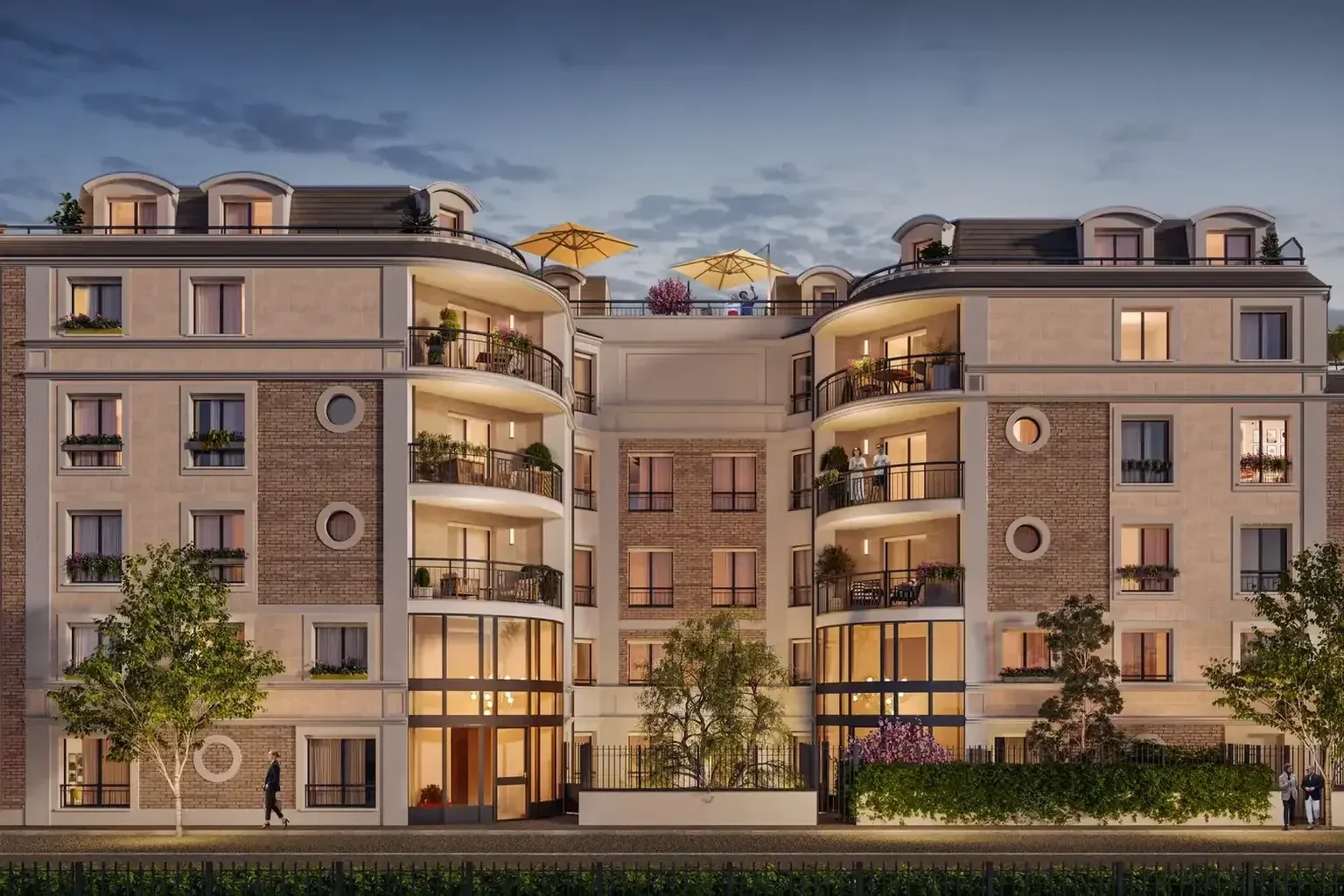
Creating a sales brochure for a new residential development takes more than a polished layout. The document often appears early in the sales process, sometimes before the sales suite opens, and it has to present a project that nobody can visit yet. It brings together the address, the architecture, the homes, the specification and the contact details, and it then travels across several channels: sales meetings, email, property fairs and the development's website.
The difficulty lies less in the graphic design than in the organisation. A brochure depends on documents that keep changing (plans, descriptive notice, price list), on 3D visuals that have to be produced from those documents, and on sign-offs involving the developer, the architect, the sales team and sometimes a legal adviser. Without a method, corrections come late, the images no longer match the plans and the print date slips.
This guide sets out a step-by-step method and a milestone-based schedule for managing the production of a sales brochure for an off-plan development, from the developer's side. It complements our visual toolkit for real-estate 3D marketing. The legal points mentioned here are general and refer to French rules: for any given development, advice from a lawyer remains necessary.
The role of the brochure in selling an off-plan development
The brochure is one of the tools of off-plan real estate marketing. It does not replace the sales plans, the descriptive notice (notice descriptive) or the reservation contract (contrat de réservation): it makes prospects want to know more and steers them towards a meeting.
Its role comes down to three functions:
- placing the project: address, neighbourhood, surroundings and access;
- explaining the building and the homes: architecture, outdoor spaces, unit types, main specification;
- prompting a clear next step with the sales team.
This in-between position explains the precautions required. France's national housing information agency, ANIL, reminds buyers that advertising material has no contractual value and that they should refer to the description attached to the reservation contract. For the developer, the consequence is simple: the brochure must tell the same story as those documents, in different words and images.
Before creating a sales brochure: gathering the basics
Setting the objective and the audience
The first decision concerns the document's main use. A brochure handed over at the end of a meeting, a PDF sent after an enquiry and a brochure distributed at a property fair do not share the same format or length constraints. It helps to define them from the outset, along with the buyer profiles targeted (owner-occupiers, investors, second-time buyers and so on), because these choices shape the tone, the selling points and the visuals to commission.
Collecting the source documents
A reliable brochure is built from approved documents, not from meeting notes. The starting file usually includes:
- the architect's plans in their latest revision, and the site plan;
- the descriptive notice or, failing that, the list of confirmed specifications;
- information on the neighbourhood, checked on site or with reliable sources;
- the development's brand guidelines: name, logo, colours, typefaces;
- the project's 3D model, if the architect or engineering firm has one;
- the list of unit types and units the sales team wants to highlight.
Alignment between visuals and the notice deserves particular care. Our guide on the VEFA descriptive notice and 3D renderings explains how to match the materials shown with the sections of the notice.
Deciding who signs off on what
Delays often stem from poorly allocated sign-offs. Before kick-off, it helps to name one person per area: the developer for messages and selling points, the architect for the accuracy of the images, the sales team for unit types and the call to action, and a legal adviser for disclaimers and statements. A single contact then consolidates feedback for the graphic designer and the 3D studio.
The 8-step method for creating a sales brochure
Creating a sales brochure follows a logical production order. Each step builds on the previous one, which limits costly backtracking.
- Write the brief: objective, audience, format, distribution channels, planned number of pages and reference documents.
- Build the flatplan (chemin de fer): the role of each page or spread, from the neighbourhood to the home, then to the contact page.
- Draw up the list of visuals: exterior renderings, interior scenes, 3D floor plans, location map, each with its position and format (full page, spread, thumbnail).
- Commission the 3D visuals, giving the studio the plans, the notice, the 3D model if there is one and the layout constraints, such as the area reserved for the title on the cover.
- Write the copy from approved documents, without claims that cannot be checked.
- Lay out a first complete mock-up with provisional visuals, to judge the balance between text and images.
- Organise the reviews: architectural, commercial, legal and proofreading, with a single list of corrections.
- Finalise: print proof for the printer, PDF export for digital viewing, and archiving of the source files and of the plan revision used.
Steps 3 and 4 are decisive. A rendering designed for a portrait cover is not composed like an image meant for a double-page spread: the framing, the position of the building and the empty space left for headlines must be known before the image is finalised.
A typical timeline: planning the brochure backwards
The schedule is built backwards from the date the brochure must be available: sales launch, sales suite opening or property fair. The length of each phase depends on the project, the number of visuals, the availability of reviewers and the printer's lead times: it is agreed with each party rather than taken from a generic template. The order of the milestones, however, stays the same from one development to the next.
Milestone | What must be ready | Signed off by | Watch point |
|---|---|---|---|
1. Kick-off | Brief, source documents, target release date | Developer | Check that the plans supplied are the latest revision |
2. Flatplan | Role of each page, list of visuals and formats | Developer and sales team | Fix the page count before commissioning images |
3. 3D framing | Viewpoints and compositions of the renderings | Developer and architect | Approve the angles before work on materials and lighting |
4. Final visuals | Renderings and 3D floor plans in the layout formats | Architect | Check facades, windows, surroundings and visible specifications |
5. Copy | Text for every page | Developer and legal adviser | No unverifiable claims, disclaimers reviewed |
6. Full layout | Layout with final text and visuals | All parties | One consolidated list of corrections |
7. Print proof and PDF | Printer file and digital export | Developer | Review the proof before approval, test links and contact details |
8. Release | Printed brochure and PDF online | Sales team | Record the date and the plan revision used |
Two rules make this backward schedule more robust. First, the 3D visuals are commissioned early, right after the flatplan, because this is often the longest task and the one most dependent on technical documents. Second, the copy and the layout can progress alongside the final visuals, provided that clearly labelled provisional images are used so that a working version never goes to print.

3D visuals: commissioning them at the right time
The cover and exterior renderings
The cover carries the development's identity. It usually relies on an exterior rendering that shows the architecture at its best while remaining faithful to the project. The other exterior views serve the pages on the neighbourhood, landscaped areas or access: each should answer a specific prospect question rather than repeat the same facade.

Interiors and 3D floor plans of the homes
The pages on the homes often combine an interior scene and plans. The interior rendering helps buyers picture the volumes and the light; the 3D floor plan makes a unit's layout readable at a glance, as our comparison of 3D floor plans and 3D renderings explains. The unit type shown should be stated, so that one interior scene does not suggest it represents every home.

Starting from the project's 3D model
When the architect has a 3D model, the studio can start from that file rather than rebuild the building from the plans. The geometry is then consistent with the project from the outset, and the work focuses on materials, lighting and staging. In every case, each image benefits from a shared review method: our checklist for reviewing and approving 3D renderings helps consolidate feedback from the various parties.

Copy, disclaimers and legal precautions
In France, a brochure is advertising material. According to the DGCCRF guide on misleading commercial practices (the French consumer protection authority), the notion of commercial practice defined by the Consumer Code (Code de la consommation) includes advertising and marketing. Article L121-2 of the Consumer Code treats as misleading a practice based on false claims, indications or presentations, or ones likely to mislead, in particular about the essential characteristics of the property, its price or the terms of sale.
Several writing habits follow from this:
- only describe the specifications set out in the descriptive notice, using consistent wording;
- avoid unverified distances, travel times or absolute claims;
- state the unit type illustrated by each interior scene;
- date information likely to change, such as prices, and preferably present it on a separate insert;
- clearly identify the seller and the contact details.
The DGCCRF also stresses that an omission can be misleading, and that information published after an advertisement has been released to set the record straight does not undo the offence. In other words, a late correction does not repair an inaccurate brochure: the review has to happen before printing.
A "non-contractual image" disclaimer (image non contractuelle) is often added under visuals. It does not remove the need to represent the project faithfully. Choosing the right disclaimers for a given development and medium is a matter for a legal professional, to be consulted before release.
Print and PDF: finalising without loss of quality
The brochure almost always exists in two versions: a file for the printer and a PDF for viewing. The first follows the printer's technical requirements (format, bleed, colour profile); the second must stay light enough to be emailed without losing the sharpness of the renderings. Skies, shadows and facade textures are sensitive to heavy compression: it is wise to compare the export with the original image before release.
The print proof is the last chance to make corrections. Its review covers the copy, but also the contact details, the links or codes to the development's website, and the match between each visual and the current plan revision.
Updating the brochure during the sales period
A development evolves while it is being sold: a plan is amended, a specification changes, units are reserved. The printed brochure, however, stays fixed. To limit discrepancies, it helps to separate what is stable (architecture, neighbourhood, the project's concept) from what moves (prices, availability, options), which is better placed on a dated insert or document.
The PDF is easier to update. Each new version should carry a date and a number, and the visuals concerned should be adjusted at the same time as the plans. Archiving the source files and the list of documents used makes it possible to know, at any time, on what basis a version was produced.
A successful brochure is prepared upstream
Creating a sales brochure for an off-plan development calls for organisation more than inspiration: a clear brief, up-to-date documents, a flatplan fixed early, visuals commissioned at the right time and sign-offs shared among the right people. A milestone-based backward schedule makes it possible to meet a launch date without sacrificing the brochure's accuracy.
For the exterior renderings, interior scenes and cover images of your brochure, VIZION STUDIO produces 3D visuals from your plans or from the project's 3D model, in the formats your layout requires. Discover our 3D rendering service and request a custom quote by sending your plans and flatplan.
Frequently asked questions about creating a sales brochure
What are the steps to create a sales brochure for a new development?
The method follows eight steps: brief, flatplan, list of visuals, commissioning the 3D visuals, copywriting, first mock-up, reviews, then print proof and PDF export. Each step builds on approved documents, which limits late corrections.
How much time should you allow to create a sales brochure?
It depends on the number of pages and visuals, the availability of reviewers and the printer's lead times. The safest approach is to build a backward schedule from the release date and agree the length of each milestone with the parties involved.
Which 3D visuals should a property sales brochure include?
Usually an exterior rendering for the cover, other exterior views for the neighbourhood or landscaped areas, interior scenes and 3D floor plans of the unit types. Their list and formats are decided at the flatplan stage, before commissioning.
What legal precautions apply to a property brochure in France?
A brochure is advertising material subject to the rules on misleading commercial practices (French Consumer Code, article L121-2). ANIL points out that advertising documents have no contractual value, so copy and visuals must stay faithful to the description. Choosing the right disclaimers is a matter for a lawyer.
How do you request a quote for the 3D renderings of a brochure?
Simply send the latest plans or the project's 3D model, the descriptive notice, the flatplan and the planned formats through the 3D rendering page or the Contact page of the website. The team reviews these documents and sends a custom quote tailored to the development.
Give your project the images that will sell it
Get your first 3D image within 72 hours. Custom quote, no commitment.