
Real Estate Virtual Tour Software or a 3D Studio?
Software assembles and publishes tours from existing images; an unbuilt development first needs a 3D model. Side-by-side comparison and key criteria.
By David Dana
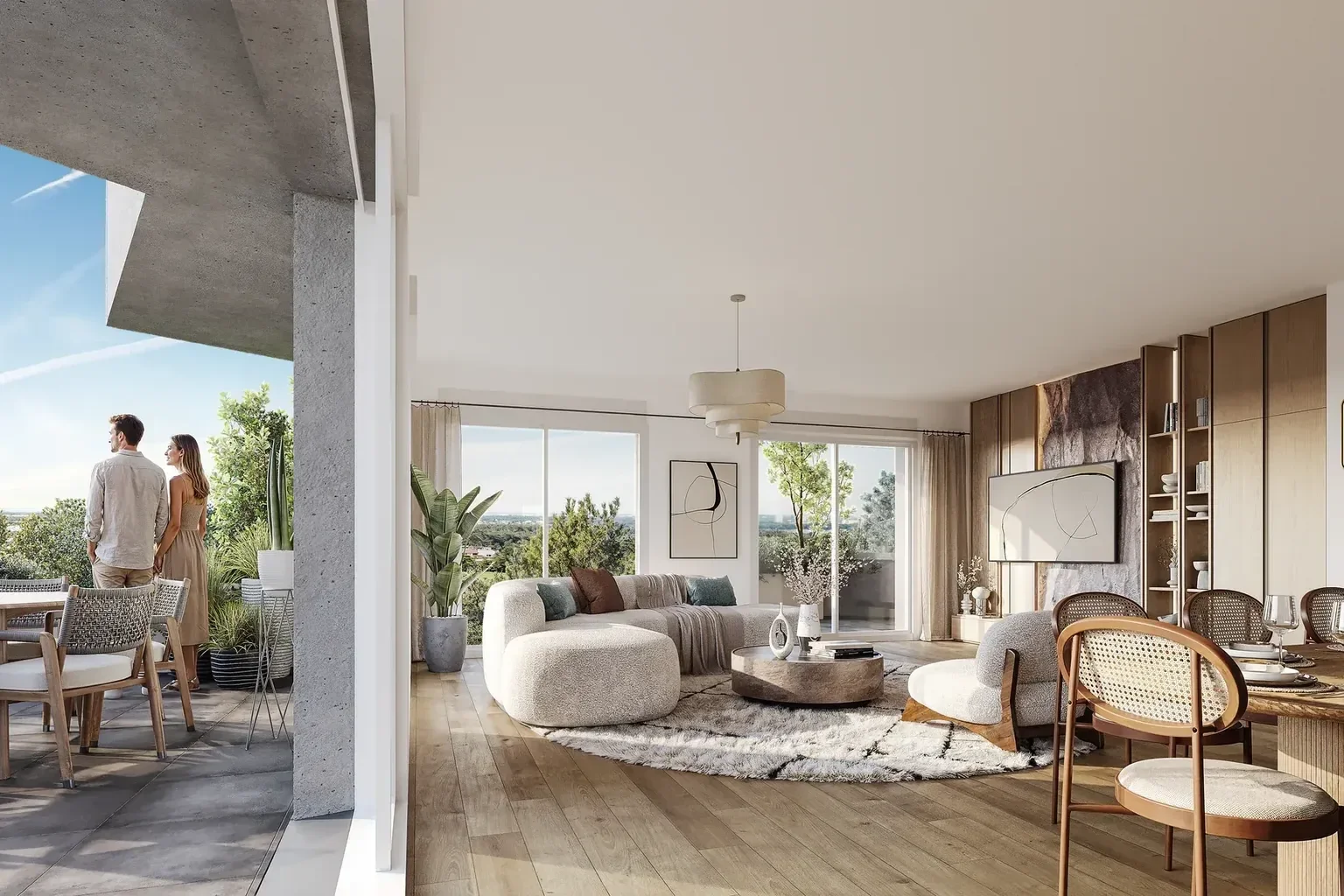
Virtual tours have become a standard property marketing tool. In a listing, on a development website or during a sales meeting, they let buyers move through a home room by room from a screen. Developers who want one face two options: invest in real estate virtual tour software and produce the tours in-house, or commission a 3D studio to create them.
For an agency selling existing properties, the question is mostly about organisation: who takes the photos, who assembles the tour, who publishes it. For a developer selling a new-build scheme off-plan (VEFA, "vente en l'état futur d'achèvement" in France), the question is different. The homes have not been built, so there is nothing to photograph. Before choosing any tool, the developer needs to know where the images will come from.
This guide compares both approaches from a developer's point of view: what virtual tour software actually does, what an unbuilt project requires, what a studio takes on and which criteria help you decide. It does not rank vendors or compare their prices, which change over time: it helps you ask the right questions before committing.
What real estate virtual tour software does
Virtual tour software assembles 360° panoramic images into a navigable route, then publishes it. Features vary from one vendor to another, but most tools share the same building blocks:
- importing or capturing panoramas, from a 360° camera or an equipped smartphone;
- linking viewpoints, with clickable hotspots from one room to the next;
- enriching the tour: floor plan for orientation, text, photos, links;
- publishing, via a link, an embed on a website or property portals;
- tracking, depending on the tool, the number of views.
Two families of tools
Solutions designed for estate agencies often include image capture. The product page for Immo360 by enVisite, from Orisha Real Estate, states for example that a tour is created with an app, a smartphone or a Theta camera, then published on the agency website, property portals and social media (Orisha Real Estate, "Immo360 by enVisite").
Other programs, closer to production tools, focus on assembly. The Pano2VR documentation explains that the software does not stitch photos: panoramas must be prepared beforehand in equirectangular format with a 2:1 aspect ratio, then imported and exported for the web (Pano2VR documentation, "Getting Started").
A tool designed first for existing properties
In both cases, the software works from images that already exist. For an older apartment, a house for resale or a commercial unit, you simply photograph the space, and choosing the capture equipment becomes part of the job.
New-build developments: there is nothing to photograph
An off-plan development is sold from plans. ANIL, the French national housing information agency, notes that prospective buyers usually have to decide on the basis of a specification, possibly after visiting a "model" or "show" home (ANIL, "Achat sur plan"). A virtual tour plays the role of that show home, but it cannot start from a photograph.
The panoramas of an unbuilt home are therefore calculated from a 3D model. The model is built from the architect's plans, then finished with the materials listed in the descriptive notice (notice descriptive), lit and furnished. Only at the end of this work do the 360° images exist and become ready to be assembled into a tour. The diagram below compares the two routes, and our article on virtual tours and 360° panoramas for property sales covers both production methods.

What the software does not do
Virtual tour software does not model a building. It does not turn a plan into a lived-in space, choose materials or calculate light. For a new-build scheme, most of the work happens before the software comes in: 3D modelling of the building, interior design and rendering of the panoramas. The software only steps in at the last stage, assembly and publishing.
One exception: a show home that already exists
Some developments have a real show apartment or a furnished sales suite. In that case, a photographic tour is possible, using software and a 360° camera. It then shows a real home, but only one: the other unit types, the upper floors and the views still need to be shown another way.
Doing it yourself with software: what it involves
Producing an in-house tour of an unbuilt development means taking on the entire production chain. In practice, the steps are as follows:
- Gather the documents: final plans, sections, descriptive notice, material references.
- Model the homes in 3D software, or start from the architect's model and complete it.
- Fit out and finish each room: flooring, joinery, furniture, decoration.
- Set the lighting and render the 360° panoramas for each viewpoint.
- Assemble the tour in dedicated software: links between rooms, orientation plan, text.
- Check consistency with the plans and the descriptive notice before release.
- Host, publish and update the tour throughout the sales period.
Steps 2 to 4 require modelling and rendering skills that are not part of a developer's core business. They also call for 3D software and rendering resources that are separate from the tour tool.
When doing it in-house makes sense
Using virtual tour software in-house remains useful in several situations:
- presenting a show home or sales suite that has already been built;
- touring completed homes, for the last remaining units or resales;
- presenting offices, commercial premises or finished common areas;
- hosting panoramas produced elsewhere, when the team wants to manage publishing itself.
Commissioning a 3D studio
A 3D studio specialising in real estate takes on the part that software does not cover: turning plans into coherent, lived-in spaces. It builds the model, fits out the homes, renders the panoramas and assembles the tour, then delivers it ready to publish.
What the studio takes care of
The scope is defined in the quote, but it usually includes:
- modelling the homes from the plans, or from the architect's 3D model if one exists;
- applying the materials from the descriptive notice and staging each room;
- choosing and setting the viewpoints, room by room;
- rendering the panoramas: interiors, from balconies or from upper floors;
- assembling the tour, navigation and orientation plan;
- publishing deliverables: link, embed on the development website, use in the sales suite.

What remains with the developer
Commissioning a studio does not mean handing everything over. The developer stays in control of the content: choosing the unit types to show, providing up-to-date plans, approving materials and reviewing each stage. The quality of a tour depends largely on the quality of the brief, which our guide on how to brief a property virtual tour route covers step by step.
Software or studio: a side-by-side comparison
The table below summarises the differences between the two approaches for a new-build development.
Criterion | Software, in-house | Production by a 3D studio |
|---|---|---|
Starting point | Existing panoramas (360° photos or images already rendered) | Plans, descriptive notice or the architect's 3D model |
Unbuilt property | 3D must be produced elsewhere | 3D model and panoramas created by the studio |
In-house skills | Assembly and publishing, plus 3D if the property does not exist | Brief, review and approval |
Accuracy to plans and notice | To be checked in-house | Checked by the studio, then approved by the developer |
Several unit types | Each home produced separately | Homes derived from the same 3D model |
Updates | Managed by the team | To be included in the quote scope |
Best suited to | Built show home, completed homes | Off-plan development before construction |
This table does not single out one solution as better than the other. It shows that the two approaches address different problems: software organises and publishes images, a studio creates them.
Criteria to help you decide
A few questions help clarify the need before choosing:
- does the home exist? If it has not been built, producing a 3D model is essential, whatever publishing tool is used;
- how many unit types need to be shown? A single show-home tour or several homes, from studio to large apartment;
- what level of accuracy is expected? Materials from the notice, joinery, ceiling heights, actual views from upper floors;
- which channels are planned? Development website, sales suite, remote meetings, screen or headset;
- who will update the tour? A change of plan or material must be reflected in every version in circulation;
- who owns the files? Panoramas, model and assembled tour: their terms of use should be set out in the quote.
A mixed approach is possible
The two routes are not mutually exclusive. A studio can produce the panoramas and the tour while the developer keeps its own publishing or hosting solution. Some programs do accept equirectangular panoramas produced elsewhere, as the Pano2VR documentation cited above shows. File formats, hosting and usage rights should then be checked before production starts, to avoid doing the work twice.
It is also a way to stay consistent with the development's other materials: a single 3D model can feed the virtual tour, the 3D renderings and the 3D floor plans. Our La Belle aux Bois project in Megève, for example, combines an orbital 3D model, a 3D site plan, 3D floor plans and three 360° virtual tours, from a two-bedroom (T3) to a four-bedroom (T5) home.

Accuracy and disclaimers: what a virtual tour commits you to
However it is produced, a virtual tour used to sell a development remains marketing material. According to ANIL, "advertising documents have no contractual value" when buying off-plan in France: buyers must refer to the specification annexed to the reservation contract (ANIL, "Achat sur plan"). It is the plans and the descriptive notice that commit the seller.
That does not justify an approximate representation. An accurate tour separates what belongs to the project (partitions, joinery, finishes, views) from what is decoration (furniture, objects, planting). Our article on the VEFA descriptive notice and 3D renderings explains how to align the materials shown with the contractual documents. Choosing the right disclaimers for a development and its materials is a matter for a legal professional.
Choosing the approach that fits the development
Real estate virtual tour software is an assembly and publishing tool. It is well suited to existing properties, a built show home or hosting panoramas that have already been produced. For a new-build development, it is not enough on its own: the spaces must first be created in 3D, from the plans and the descriptive notice. The decision is therefore less about picking software than about how that production is organised and the level of accuracy expected.
To let buyers tour the homes in your development before they are built, VIZION STUDIO creates 360° virtual tours from your plans or from your 3D model, ready to embed on the development website or use in the sales suite. Discover our Virtual tour service and request a custom quote, attaching your plans and the list of unit types to present.
3D services to bring your project to life
Preparing a property launch or an architectural presentation? Explore deliverables and examples relevant to this topic.
Frequently asked questions about real estate virtual tour software
What is real estate virtual tour software?
It is a tool that assembles 360° panoramic images into a navigable route, with hotspots between rooms, then publishes it via a link or on a website. Depending on the vendor, it can also handle image capture, an orientation plan and view tracking.
Can software alone create a virtual tour of a new-build development?
No, not if the homes have not been built: there is nothing to photograph. The panoramas must first be rendered from a 3D model based on the plans and the descriptive notice, and the software only comes in for assembly and publishing.
When is virtual tour software enough for a developer?
It is enough when the space already exists: a show home or furnished sales suite, completed homes, finished common areas. It is also useful for hosting and publishing panoramas produced by a studio, provided the formats are compatible.
Is a virtual tour contractually binding?
According to ANIL, the French national housing information agency, advertising documents have no contractual value when buying off-plan in France: the plans and descriptive notice annexed to the contract are what commit the seller. The tour must still represent the project faithfully, and choosing the right disclaimers is a matter for a legal professional.
How do I request a quote for a virtual tour of a new-build development?
Send the development plans, or its 3D model if one exists, along with the list of unit types to present and the planned channels, from the Virtual Tour service page or the Contact page. The team prepares a custom quote based on the number of homes and viewpoints.
Give your project the images that will sell it
Get your first 3D image within 72 hours. Custom quote, no commitment.