
3D Rendering Software: What Developers Should Know Before Ordering
Rendering software computes the image but does not model the project or guarantee accuracy. What developers should know and provide before ordering.
By David Dana
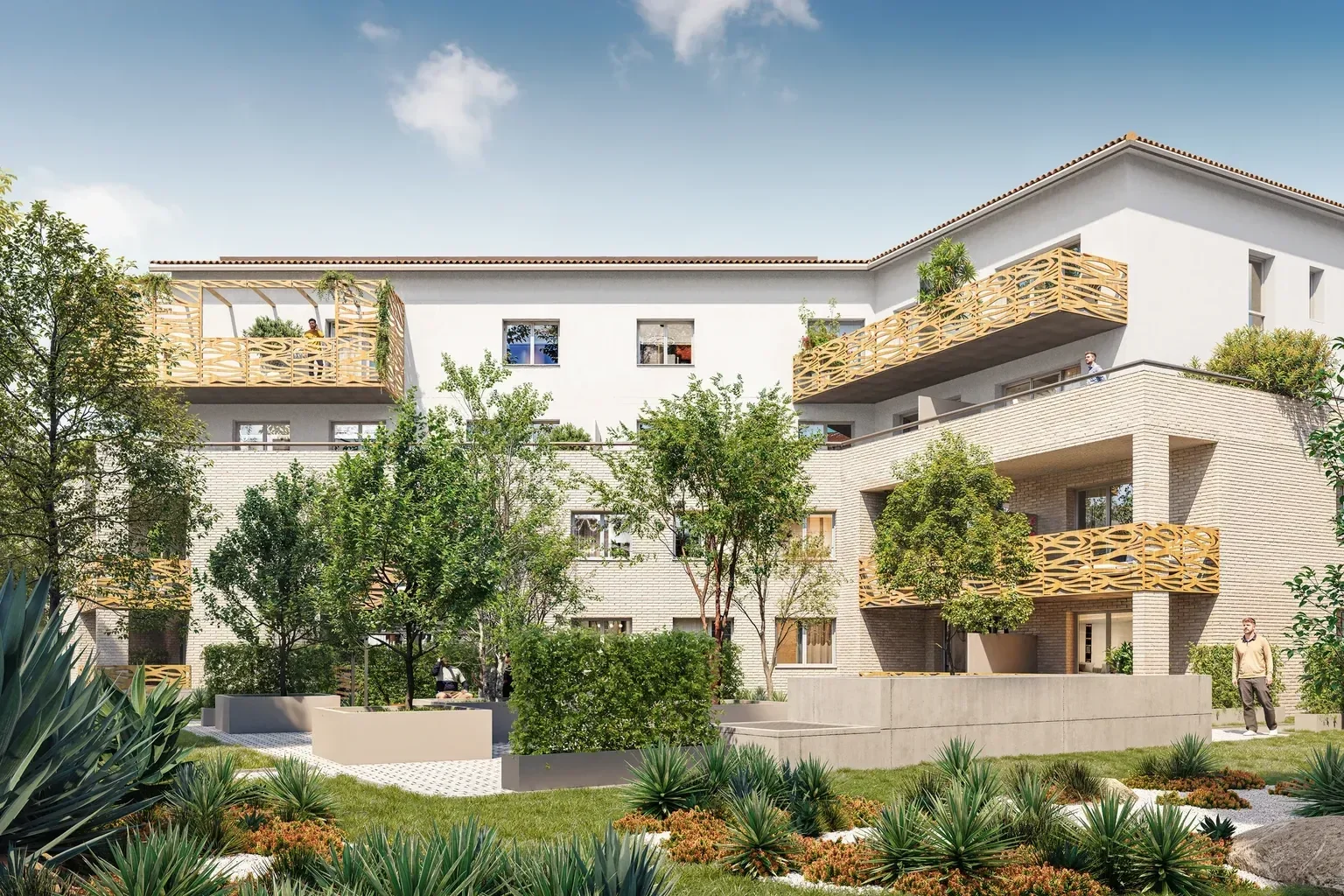
A developer preparing to market a new-build scheme soon hears about software: V-Ray, Corona, Lumion, Twinmotion, Unreal Engine, Blender. These names come up in discussions with the architect, in studio quotes and in online comparisons. They often leave a misleading impression: that choosing the right 3D rendering software is enough to obtain good renderings.
In practice, the software is only one step in a longer production chain. It computes an image from a 3D scene, but it does not build that scene, does not choose the materials and does not guarantee that the image matches the project being sold. The quality of a rendering depends as much on the documents supplied and on lighting and framing choices as on the rendering tool.
This guide is written for developers and sales teams, not for 3D artists. It explains what rendering software does, what it does not do, the main families of tools, what in-house production involves and what to prepare before ordering images. It does not rank vendors or compare their prices, which change over time: it helps you ask the right questions.
What is 3D rendering software?
Autodesk sums it up simply: 3D rendering software generates an image from a model, and rendering gives models their final appearance through shading, textures, shadows and reflections (Autodesk, "3D rendering software"). In real estate, that model is the 3D model of the building, its homes and its surroundings.
Modelling software and render engine: two separate building blocks
Two tools are often confused. Modelling software is used to build the geometry: walls, windows and doors, roofs, terrain, furniture. 3ds Max, Blender or the architects' design tools (Revit, SketchUp, Archicad) play this role. The render engine then computes the final image from that geometry.
The two are sometimes combined in a single program and sometimes added to one another. Chaos states, for example, that V-Ray integrates natively with 3ds Max, Cinema 4D, SketchUp, Rhino and Revit (Chaos, "V-Ray"). Blender, for its part, combines modelling and rendering; it is open source, released under the GNU GPL licence (Blender Foundation, "License").
What the software computes
From the scene it is given, the render engine computes:
- light, direct and indirect, according to the light sources and time of day chosen;
- how materials behave: reflections on glazing, the grain of render, the sheen of tiles;
- shadows cast by the building, planting or furniture;
- depth and atmosphere: sky, light haze, background blur.
Everything else, meaning what appears in the scene and how it is viewed, is decided upstream.
Two families of tools: offline rendering and real-time rendering
3D rendering software falls into two broad families. The difference lies in how the image is computed, and therefore in the deliverables each serves best.
Offline (pre-computed) rendering simulates the path of light precisely. Each image takes time to compute, but the result suits the most demanding still renderings. V-Ray, Corona and Blender's Cycles engine belong to this family.
Real-time rendering borrows techniques from video games: the image is computed instantly and the scene can be manipulated live. Unreal Engine, Twinmotion, Lumion and D5 Render fall into this category. These tools suit interactive models, tours and films, and are increasingly used for stills as well.
Criterion | Offline rendering | Real-time rendering |
|---|---|---|
Principle | Detailed computation of each image | Image computed instantly, scene can be manipulated |
Example tools | V-Ray, Corona, Cycles (Blender) | Unreal Engine, Twinmotion, Lumion, D5 Render |
Typical deliverables | Still renderings, sales brochure, site hoarding | Interactive model, tour, film, live presentation |
Strength | Subtle light and materials | Interactivity and fast iteration |
Watch point | Every change means a new render | Realism depends heavily on how the scene is prepared |
CPU, graphics card or remote computing
Rendering can rely on different resources. Autodesk notably distinguishes rendering on the processor, which favours quality, hardware rendering on the graphics card, which is faster, and cloud rendering, which moves the computation to remote servers (Autodesk, "3D rendering software"). For a developer this remains a technical matter: it mainly affects how the studio is organised and its ability to handle several views or several changes within the same schedule.
The choice depends on the deliverable, not the brand
For a developer, the right question is therefore not "which software?" but "which media?". A set of renderings for the brochure, a virtual tour of the homes or a launch film do not call for the same tools. A studio often combines several of them from a single 3D model, which keeps all media consistent.
What rendering software does not do
Rendering software carries out a computation. It makes no decision about what the image shows. The diagram below shows where it fits in the production of a 3D rendering.

It does not turn a plan into a lived-in space
The software does not read a building permit. Someone has to model the building from the plans, or take over and complete the architect's model, then fit out the homes and the surroundings. This is often the longest step, and the one where most discrepancies with the project arise.
It chooses neither the materials nor the staging
Floor and wall finishes, windows, balustrades and facade colours must match the descriptive notice (notice descriptive). The software displays whatever materials it is given, without checking that they comply. Furniture, planting and people are staging choices, and they shape how buyers perceive the home.
It does not guarantee that the image is accurate
A physically based engine does not automatically produce an accurate scene: wrong geometry or inconsistent lighting are still possible, as the V-Ray entry in our glossary points out. Accuracy is checked by comparing the image with the approved plans and notice. Our article on CGI in real estate details how computer-generated images are used at each stage of a development.
Lighting is a setting, not an automatic result
The same building can be shown in daylight, in late afternoon or at dusk. The software renders each mood with the same rigour, but choosing the time of day, orientation and

viewpoint remains an editorial decision. That choice should stay consistent with the site's actual orientation.
Producing in-house or ordering from a studio
Nothing prevents a developer from buying rendering software and producing images in-house. It is worth measuring what that involves, though.
What in-house production involves
- licences for modelling and rendering, and their renewal;
- a workstation suited to rendering, often fitted with a powerful graphics card;
- skills in modelling, lighting, materials and retouching, which are not part of a developer's core business;
- libraries of furniture, planting and textures, to build up and keep up to date;
- time: every development, every unit type and every change takes up the team's capacity.
For working sketches or internal massing studies, a real-time tool may be enough. Images intended for sales are held to a different standard.
Why work with a studio
A studio specialising in real estate does not sell access to software but a complete production: modelling, fit-out, lighting, rendering, retouching and review. It knows what an off-plan buyer expects, how to present a home from the kitchen to the balcony and what to watch for in a sales image. The developer keeps control of the content without having to manage the technical side. The studio also provides continuity across media. The model built for the renderings can be reused for a virtual tour, an orbital 3D model or a film, with the same materials and fit-out. A plan change is then carried through to every image instead of being redone tool by tool. To compare several providers, our checklist for reviewing and approving 3D renderings gives a practical basis for judging their work.
What to provide before ordering renderings
Whatever software the studio uses, the quality of the result depends largely on the documents supplied at the outset. The following list covers the essentials:
- Final plans: floor plans, elevations, sections and roof plans, in their latest version.
- The architect's 3D model, if there is one (Revit, SketchUp, Archicad or other): it serves as a base and saves part of the modelling.
- The descriptive notice and material references: finishes, windows and doors, balustrades, colours.
- The site plan and landscape plan, with access points, parking and planned planting.
- Photos of the site and its surroundings, useful for site integration and for views from upper floors.
- The list of required views: exterior, interior and aerial, with the unit types to highlight.
- The publishing media: brochure, development website, site hoarding, social media, sales suite.
- The schedule: sales launch date and approval milestones.
Consistency between the notice and the materials shown deserves particular attention. Our article on the VEFA descriptive notice and 3D renderings explains how to align the

two, section by section.
Questions to ask when requesting a quote
Rather than asking which software will be used, it is more useful to ask the studio about what drives the result:
- what does it work from? Plans only, the architect's model, or both;
- which formats and resolutions are delivered? Large-format print, web, sales suite screen;
- can the model be reused for other media? Virtual tour, orbital 3D model, film or 3D floor plans;
- how are changes handled once a view has been approved;
- who owns the files and what are the terms of use for the images;
- how is compliance checked against the plans and notice before delivery.
For interiors, our article on interior 3D rendering adds the points specific to homes.
A sales image remains a communication medium
Whatever the tool, a rendering published to sell a development has no contractual value. According to ANIL, the French national housing information agency, "advertising documents have no contractual value": buyers must refer to the description annexed to the reservation contract (contrat de réservation) (ANIL, "Achat sur plan"). That does not justify an approximate representation: the image must remain faithful to the project, and choosing the disclaimers that accompany it is a matter for a legal professional.
A tool in the service of an accurate image
3D rendering software is a powerful computing tool, but it replaces neither modelling, nor choices of materials and lighting, nor compliance checks. For a developer, the point is not to pick a software brand: it is to provide complete documents, define the media required and work with a team able to turn plans into images that are both accurate and appealing.
For your exterior and interior renderings, VIZION STUDIO relies on the tools presented on its Technologies page, including 3ds Max, V-Ray, Lumion and Unreal Engine, and can start from your plans or from your architect's 3D model. Discover our 3D Rendering service and request a custom quote by sending your plans, your descriptive notice and the list of views you need.
3D services to bring your project to life
Preparing a property launch or an architectural presentation? Explore deliverables and examples relevant to this topic.
Frequently asked questions about 3D rendering software
What is 3D rendering software?
It is a tool that computes an image from a 3D model by simulating light, materials, shadows and reflections. It comes in after the scene has been modelled and fitted out, which it does not do itself.
What is the difference between offline and real-time rendering?
Offline rendering simulates light in fine detail and takes computing time for each image; it suits the most demanding still renderings. Real-time rendering computes the image instantly and lets you manipulate the scene, which mainly serves interactive models, tours and films.
Which 3D rendering software suits a real estate development?
There is no single answer: the choice depends on the media required, whether brochure renderings, a virtual tour, an orbital 3D model or a film. A studio often combines several tools from a single 3D model to keep the images consistent.
Can a developer produce 3D renderings in-house?
It is possible, but it requires licences, a suitable workstation, libraries of furniture and materials and, above all, skills in modelling, lighting and retouching. For sales images, most developers entrust this production to a specialist studio.
How do I request a quote for 3D renderings?
Send the development plans, or the architect's 3D model if there is one, along with the descriptive notice and the list of views you need, from the 3D Rendering service page or the Contact page. The team prepares a custom quote based on the number of views and the planned media.
Give your project the images that will sell it
Get your first 3D image within 72 hours. Custom quote, no commitment.